2026 Baseball
Seat Selection Process Information
Please review the following details prior to the seat selection process:
The opt-in deadline for the 2026 Baseball Online Seat Selection Process
was 5 p.m. on Thursday, Nov. 13, 2025.
NOTE: Season ticket holders with four or more season tickets are not eligible to add seats during the seat selection process.
- Please keep in mind that seating inventory will be fluid and could change as fellow season ticket holders make their selections and change locations throughout the process. Ticket inventory for the 2026 season is extremely limited with no availability anticipated in the club sections.
- Both full season and 18-game season tickets will be available in this seat selection process. The seats you select will default to the same plan as your renewed tickets. If you would like to add a season ticket on a different plan from your renewed tickets, please give us a call at 888-992-4443 and we can adjust your settings in the seat selection process.
- You will be able to access the system to view available inventory 30 minutes prior to your appointment time.
- You may add new or additional parking to your account during this process. After seat selection concludes, parking passes in the Blue Bell Park Lot (100j) will be filled based on priority point ranking as of Nov. 13, 2025. All remaining parking will be allocated in Reed Arena (100g). Your designated lot will be communicated at a later date.
- Please note: If you have parking related to suite or club seats, it will not be included in this seat selection process.
- If you decide to keep your original seats during your appointment, you may simply exit the system without confirming a change in seats and will retain your original seats.
- To opt out of seat selection, please email customersupport@12thmanfoundation.com or give us a call at 888-992-4443.
- Seat Legend:
- Green dots represent available seats which can be added to your cart
- Blue dots indicate seats which are on hold in your cart
- Purple dots are seats which are on hold in another customer's cart
- Red dots signify seats which are already sold to other customers
- Season ticket holders will have the ability to add parking via the seat selection process. Parking will not be allocated at the time of purchase and will be assigned at a later date based upon priority points as of Thursday, Nov. 13, 2025. A limited amount of parking will be available in the Blue Bell Lot, with additional parking at Reed Arena.
Seat Selection Instructions
1.
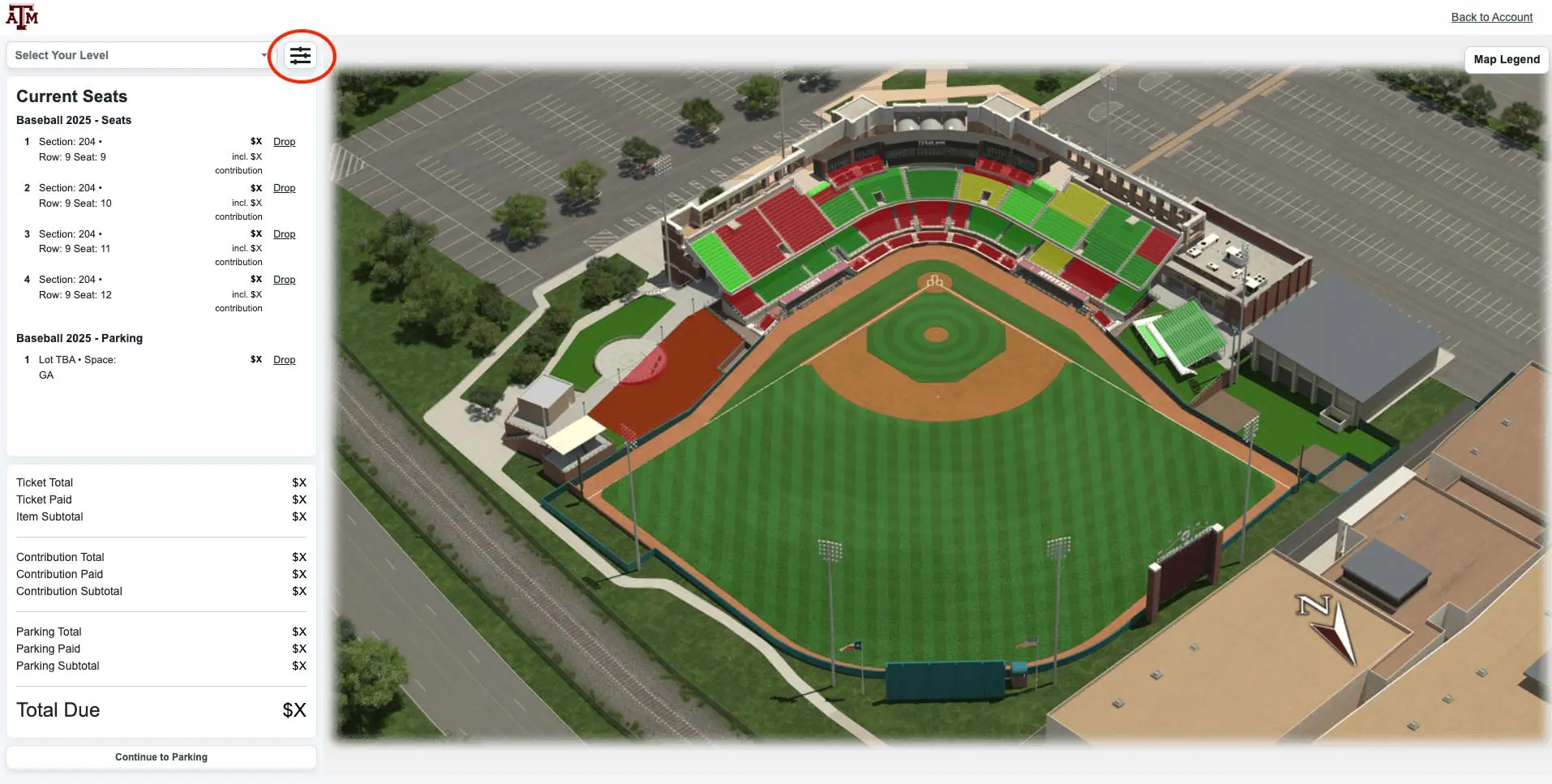
Log in to your 12thmanfoundation.com account and under the "Selection Process" section of your My Account page, you will find the link to seat selection. Click on the link to begin the seat selection process.
New this year is a filter that allows you to view available seats that are next to each other by clicking the filters icon, turning on the “Contiguous Seats” option, selecting the number of side-by-side seats you need and selecting “Update.”
2.
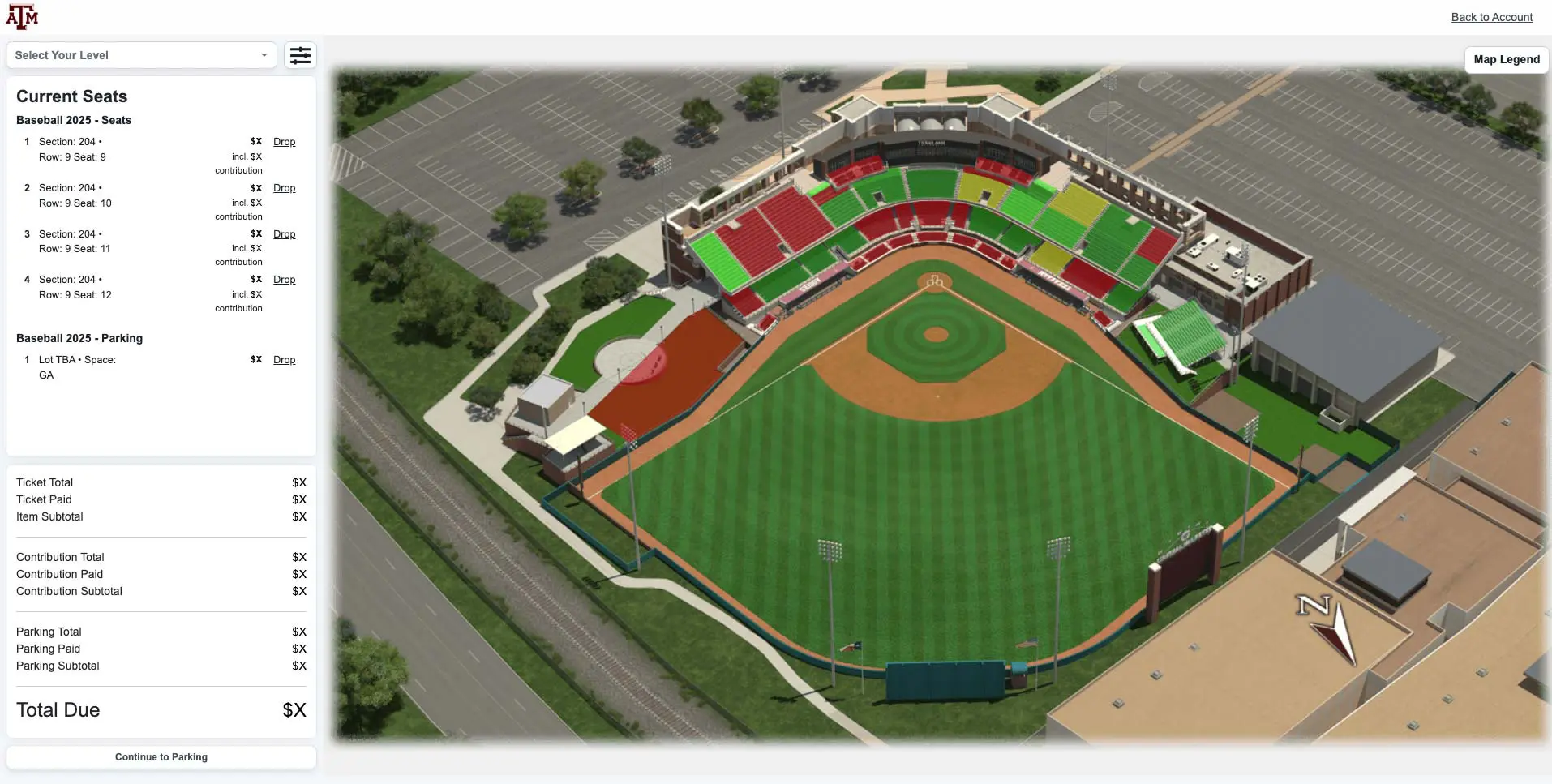
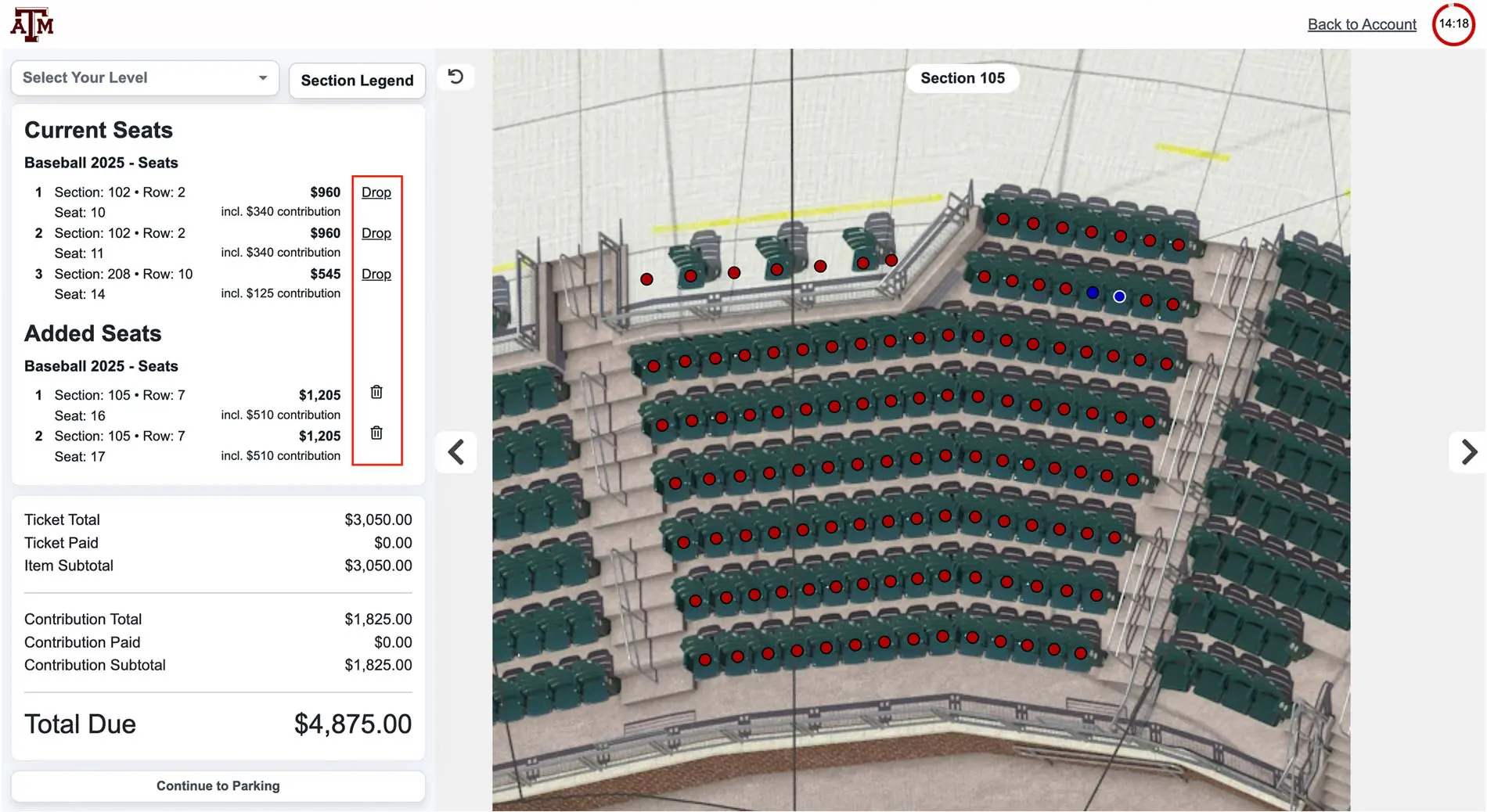
Your cart will be visible on the left side of the screen. Your current and new seats and parking will appear in this cart area. Your total balance due will appear at the bottom of the cart area, including the total cost and any prepayments you have made.
Click on a section to view its available seats
3.
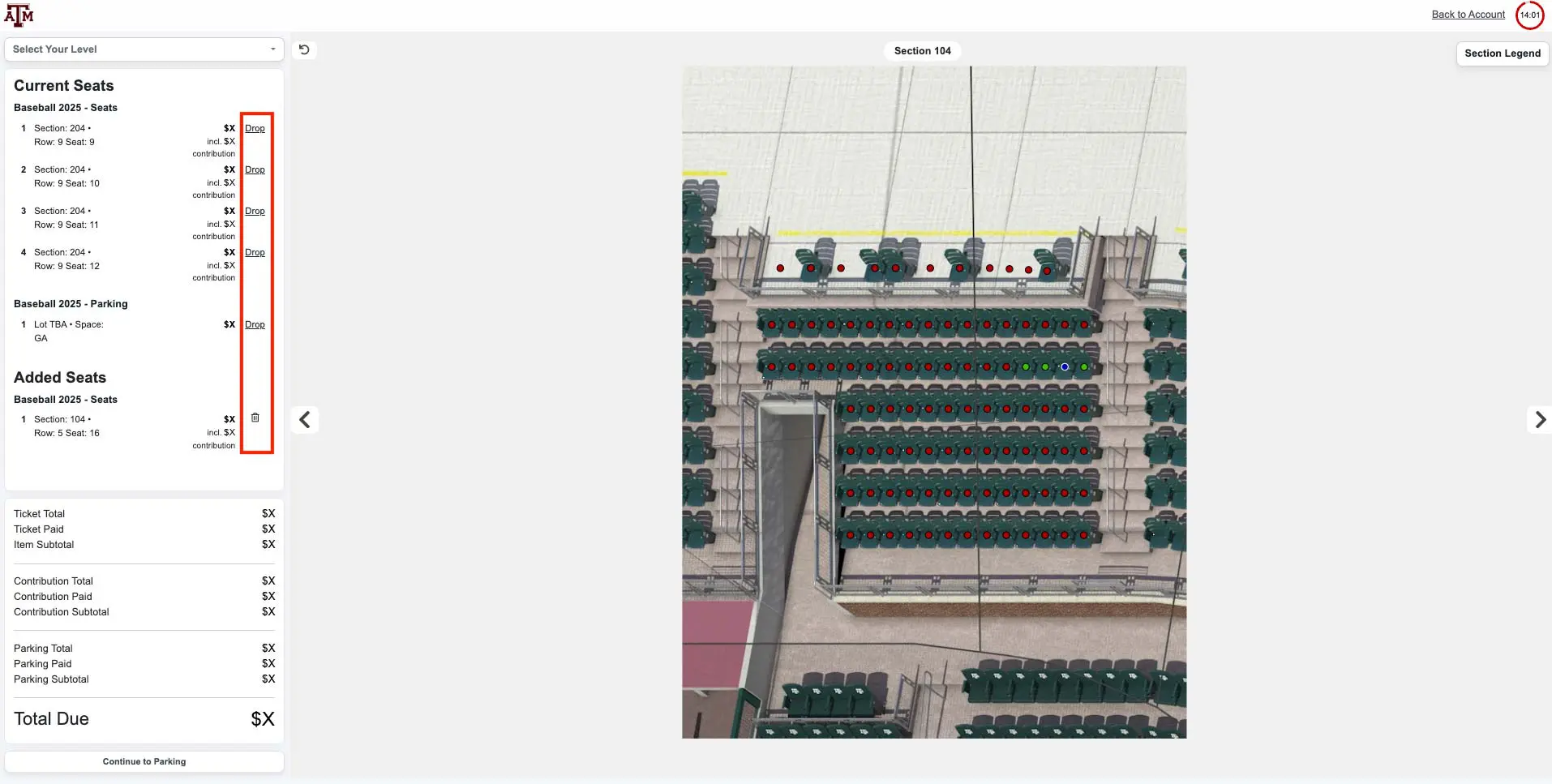
Click on a seat to add it to your cart.
Editing seats in your cart:
- Please note: this will not drop your current seat(s) until you have completed checking out.
- To remove seats you have added to your cart, you can either click the seat dot again or click the trash can icon next to the seat location you would like to drop in your cart.
4.
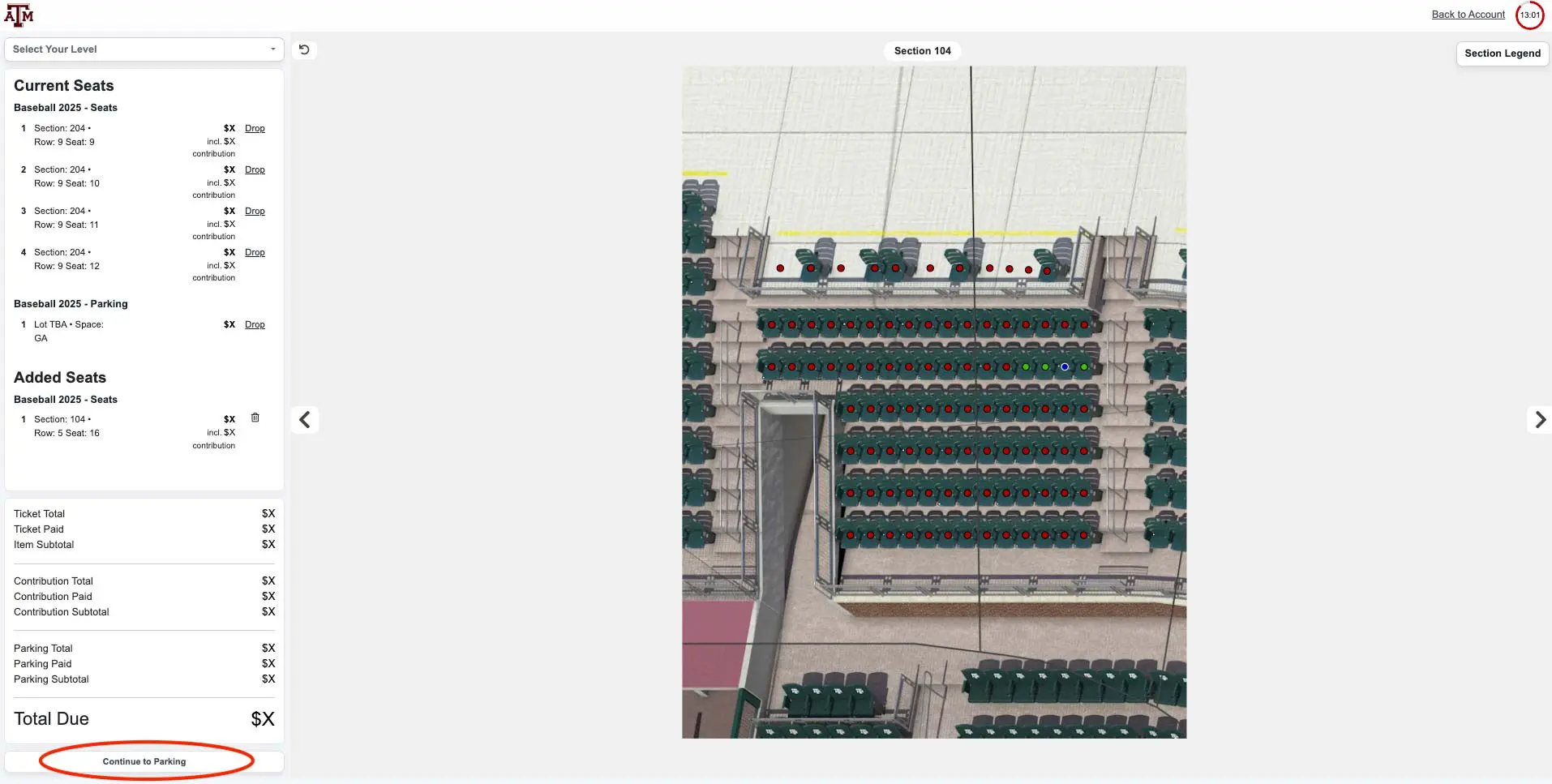
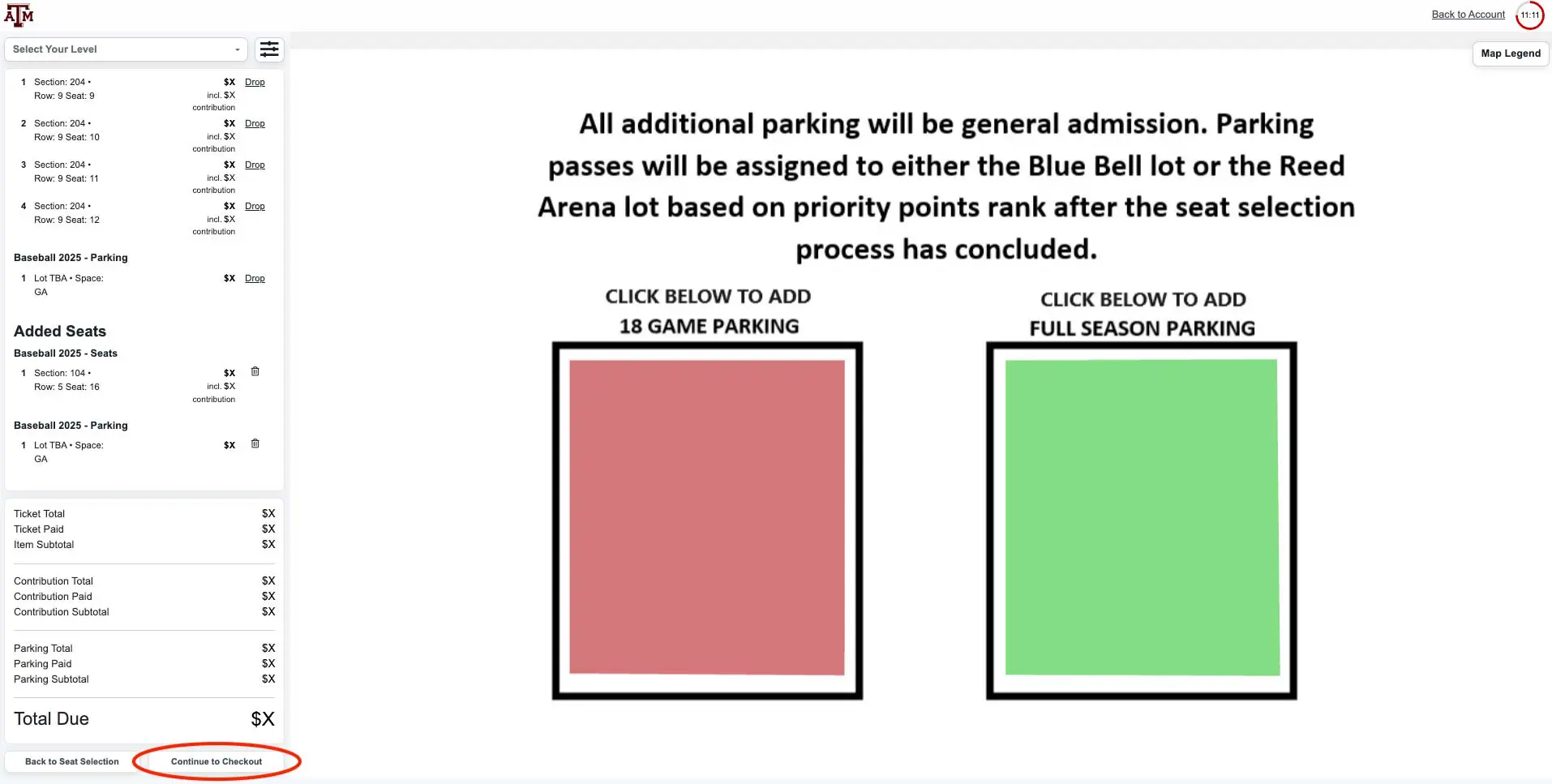
After your seats are added to your cart, you will have the opportunity to add parking to your order by clicking "Continue to Parking." You may then select a parking pass on the same plan as your seats. Once your seating and parking are added to your cart, you may select "Continue to Checkout."
5.
You will have the option to review your order before selecting "Continue to Payment."
To ensure your order is confirmed, please make sure you have filled in your payment information and completed the checkout process at the bottom of the screen.
1.
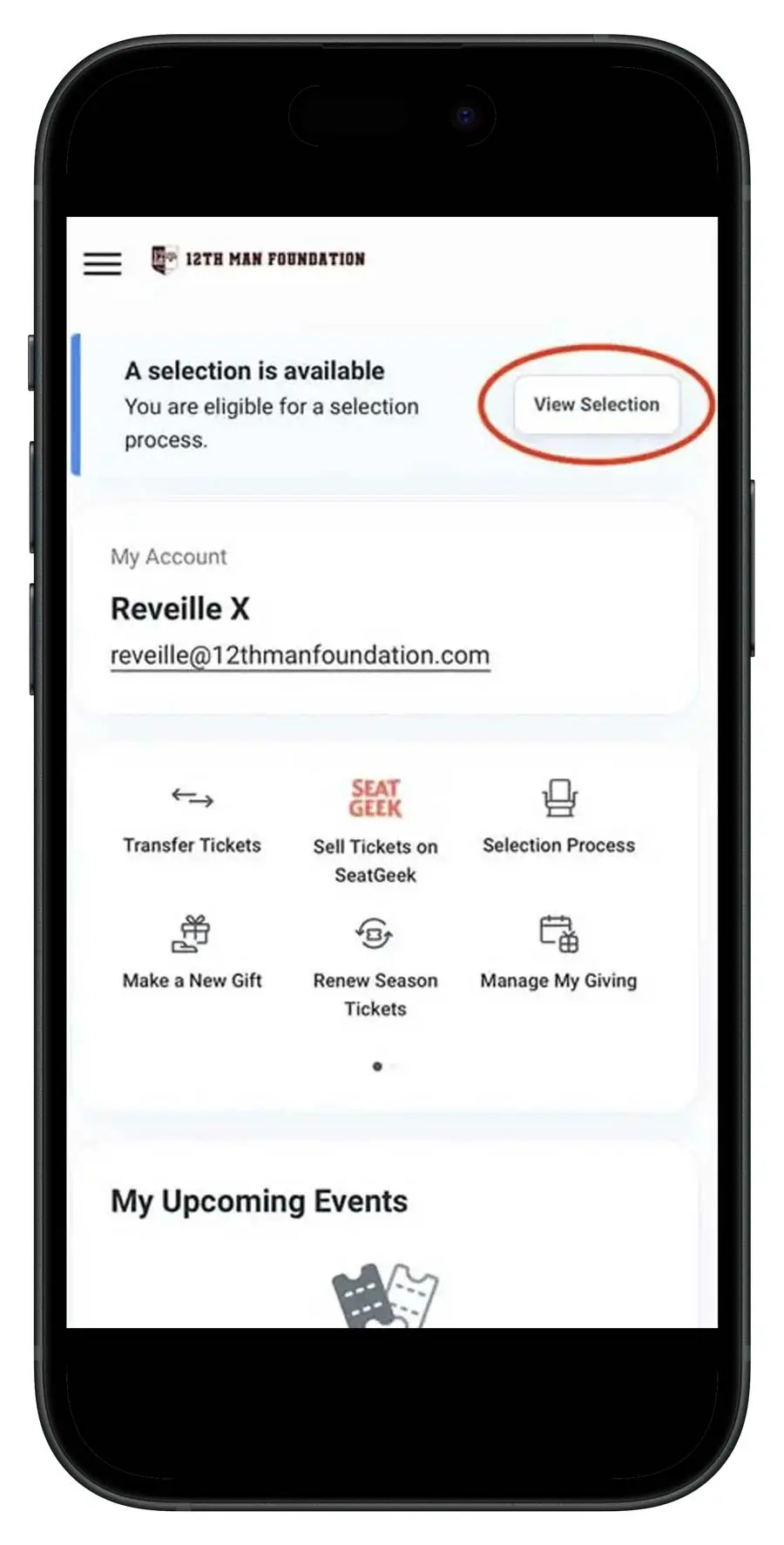
Log in to your 12thmanfoundation.com account from your preferred mobile browser. Tap the “View Selection” button at the top of your My Account page, then click the “Select Now” button.
2.
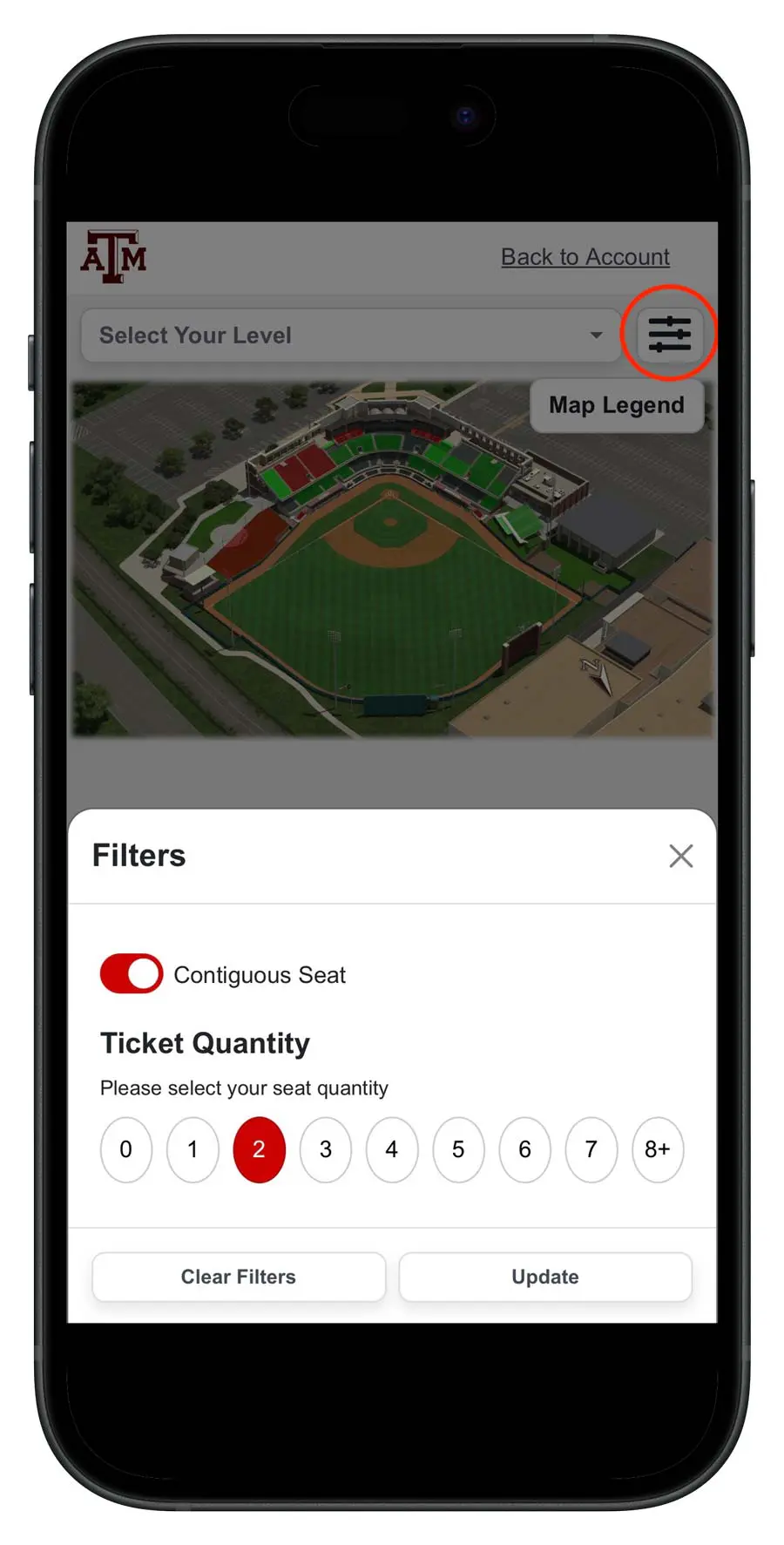
New this year is a filter that allows you to view available seats that are next to each other by clicking the filters icon, turning on the “Contiguous Seats” option, selecting the number of side-by-side seats you need and selecting “Update.”
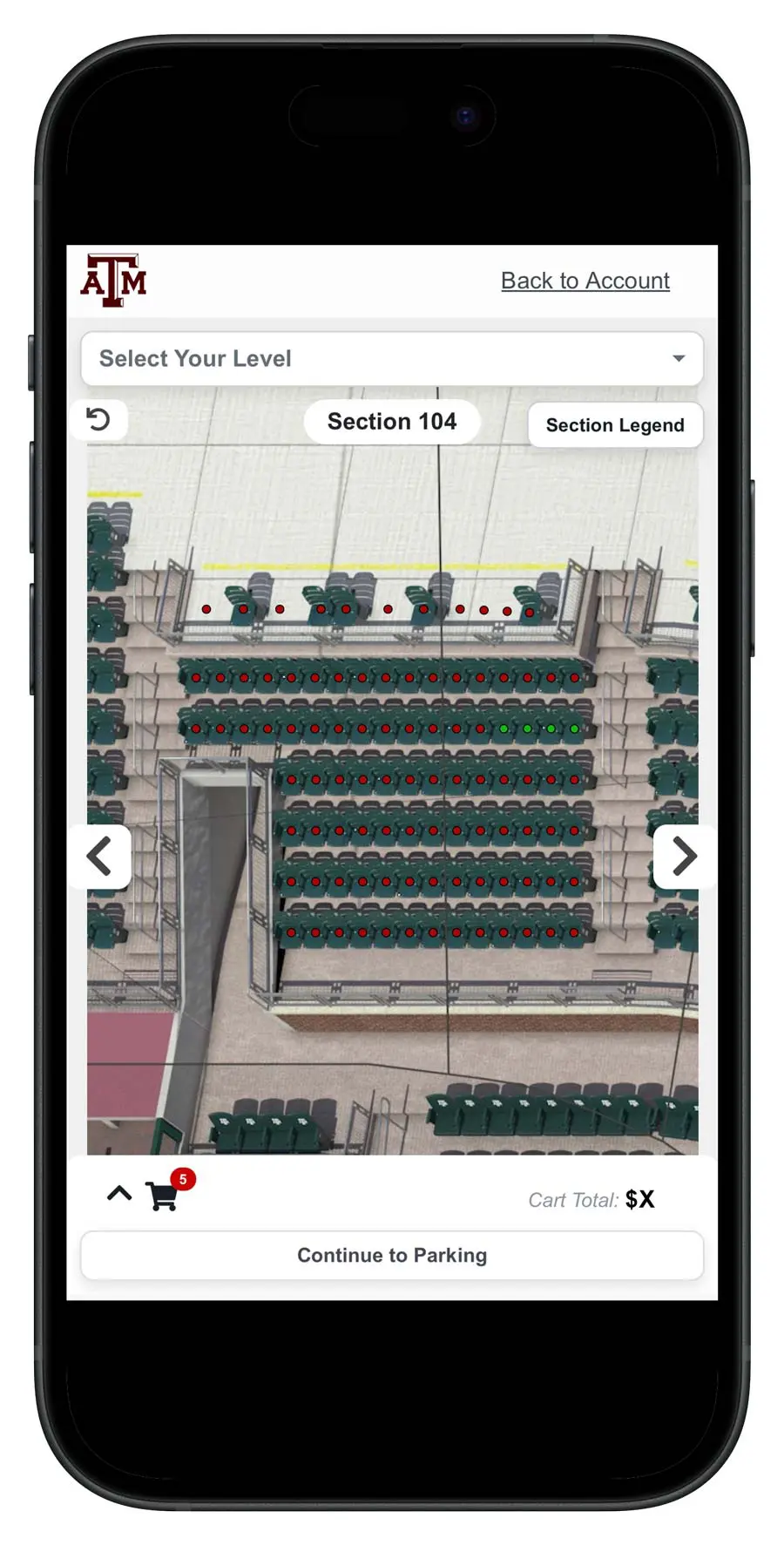
Tap on a section to view its available seats.
3.
To move between sections, use the left and right arrows on either side of the section.
4.
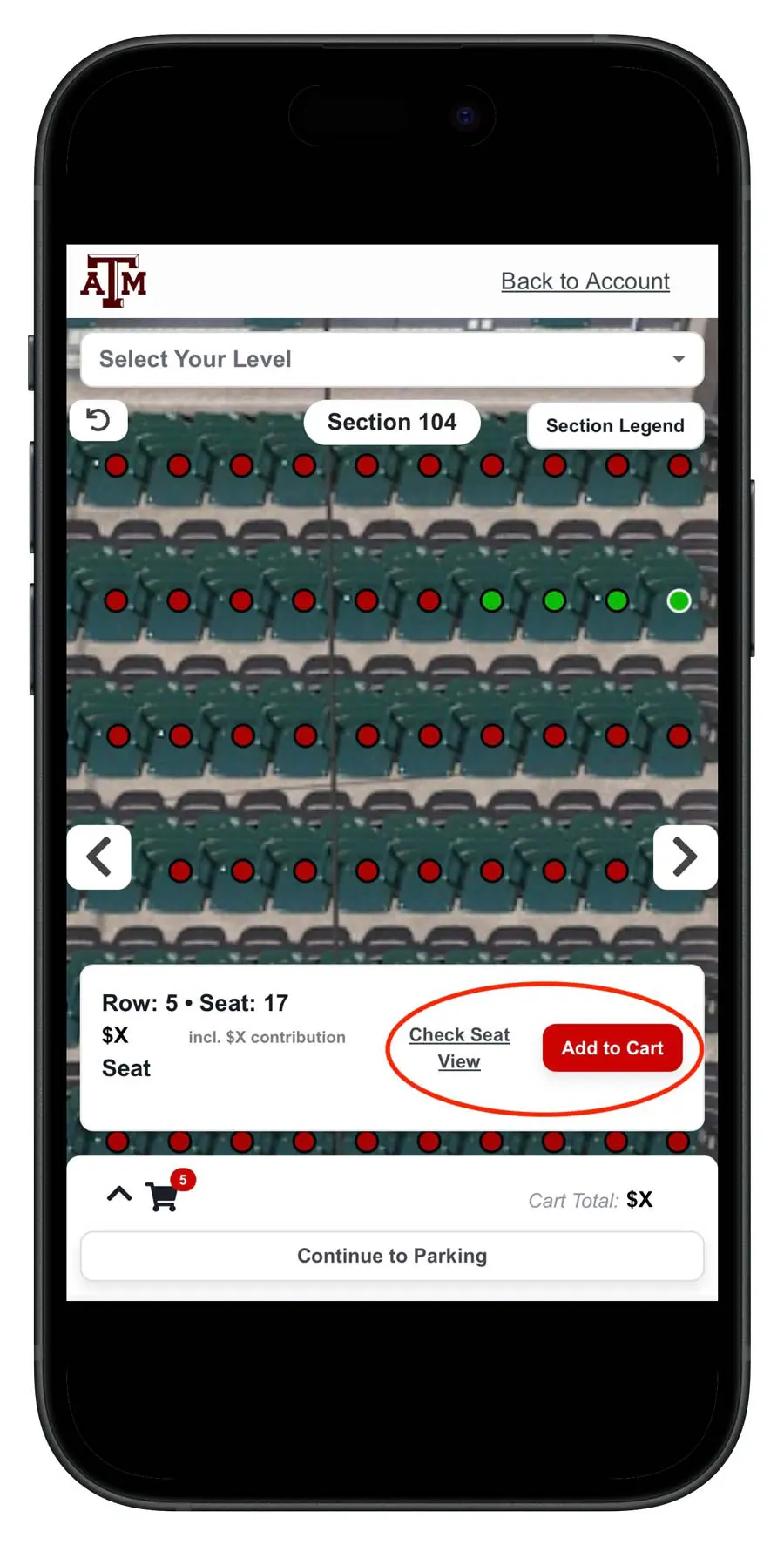
To add a seat to your cart, tap the seat dot and a small menu will pop up on the bottom of your screen displaying the seat location and all-in price. You can either select "Add to Cart" or "Check Seat View" to see a rendering of the view from your potential seat. You may have to zoom in depending on your mobile device display.
5.
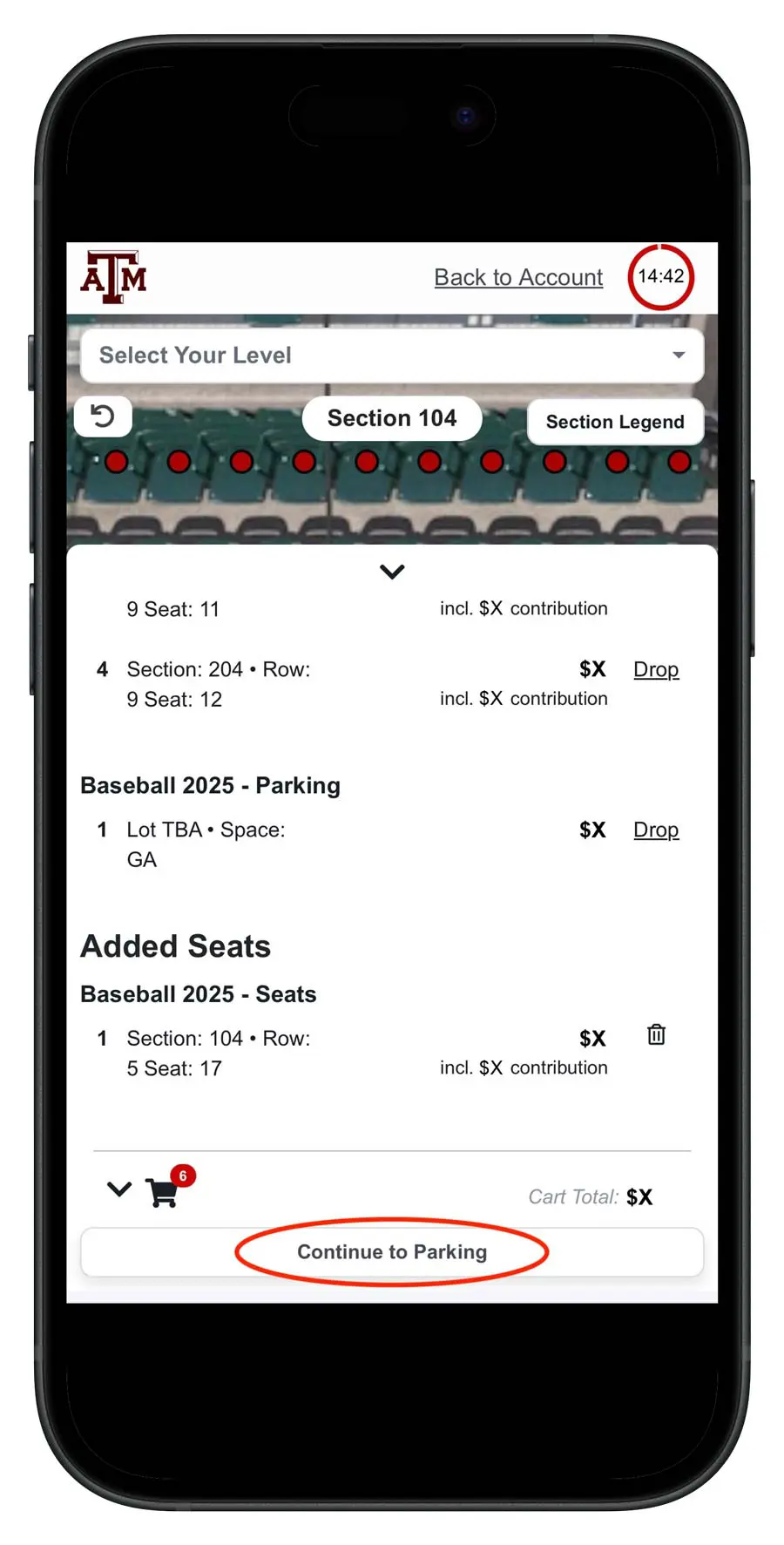
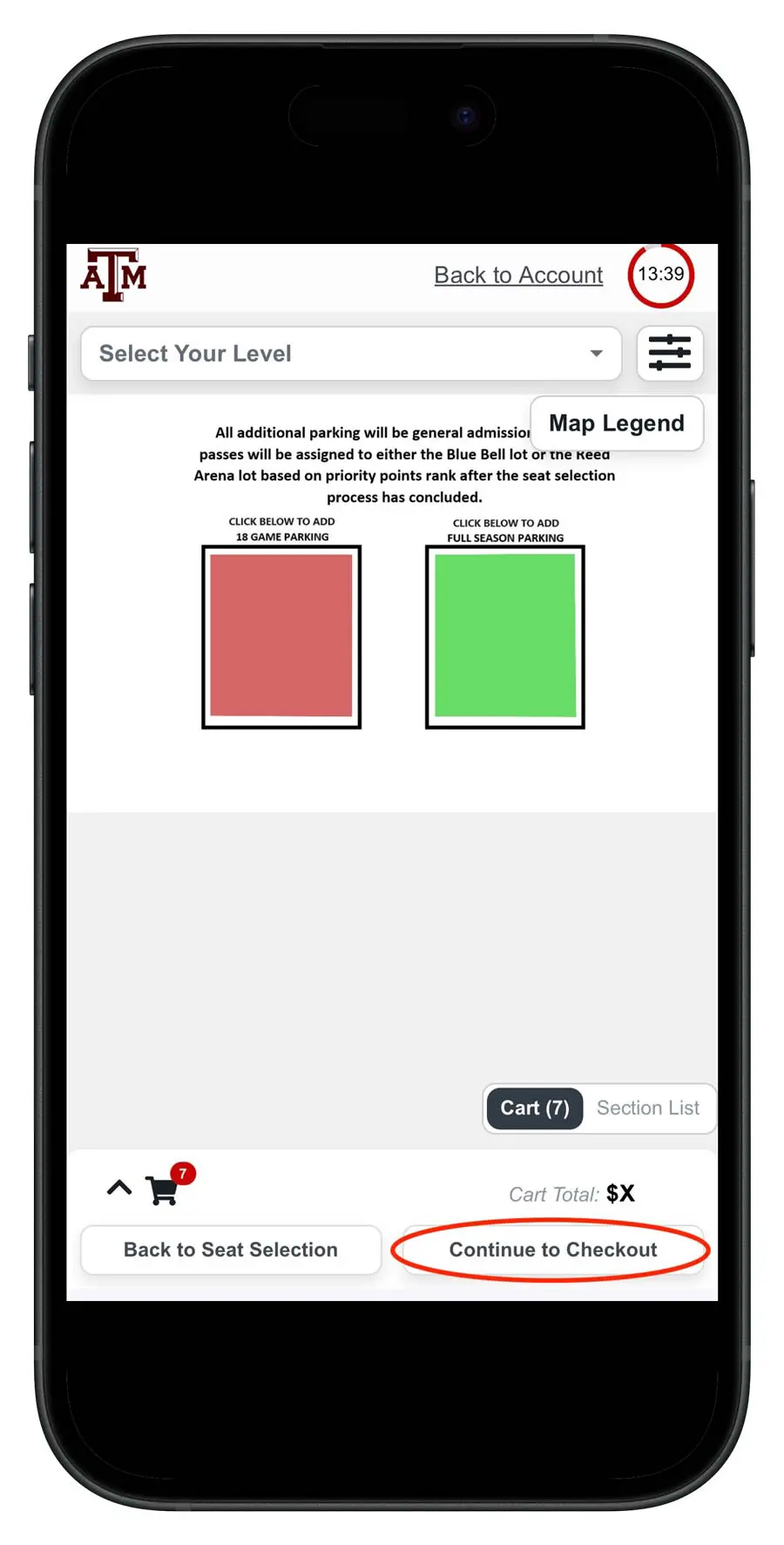
After your seats are added to your cart, you will have the opportunity to add parking to your order by tapping "Continue to Parking." You may then select a parking pass on the same plan as your seats. Once your seating and parking are added to your cart, you may select "Continue to Checkout."
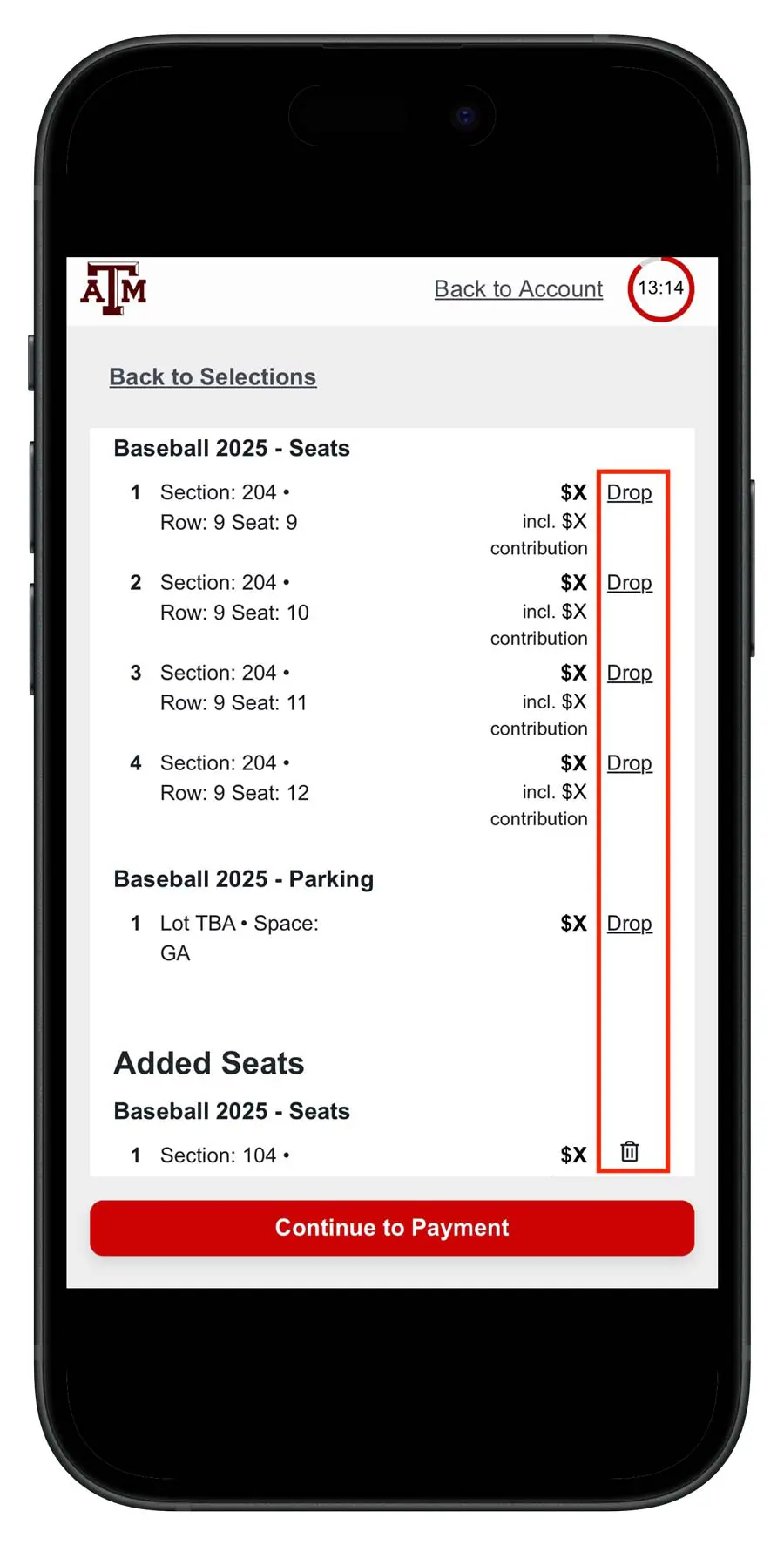
6.
Editing seats in your cart:
- To remove your current seats, select “Drop” next to each current seat in your cart.
- Please note: this will not drop your current seat(s) until you have completed checking out.
- To remove seats you have added to your cart, click the trash can icon next to the seat location you would like to drop.
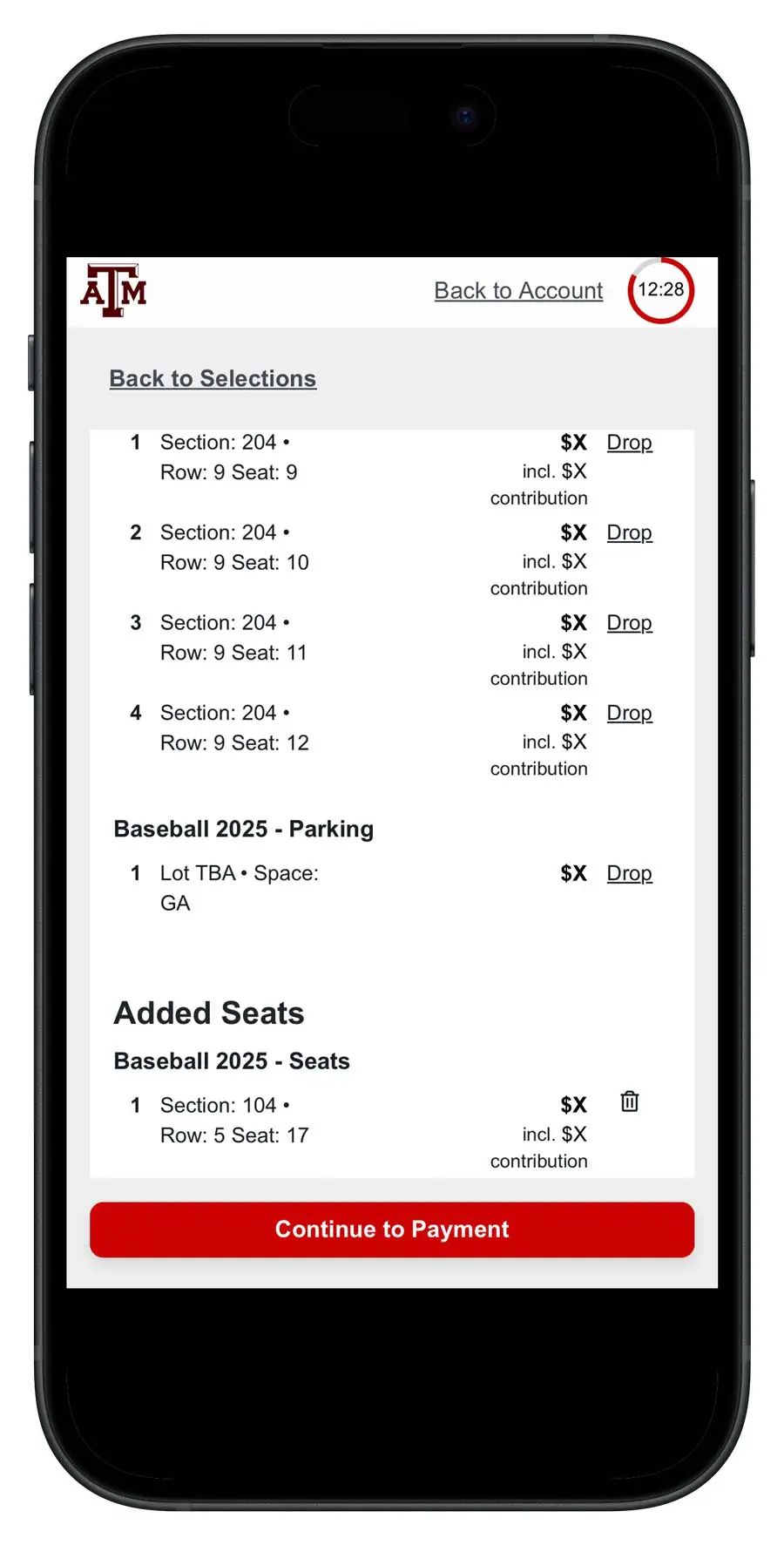
7.
Once your seats and parking are added to your cart, please review your order before selecting "Continue to Payment."
To ensure your order is confirmed, please make sure you have filled in your payment information and completed the checkout process at the bottom of the screen.